Step-by-Step Guide
Go to the Property Summary section in your property form
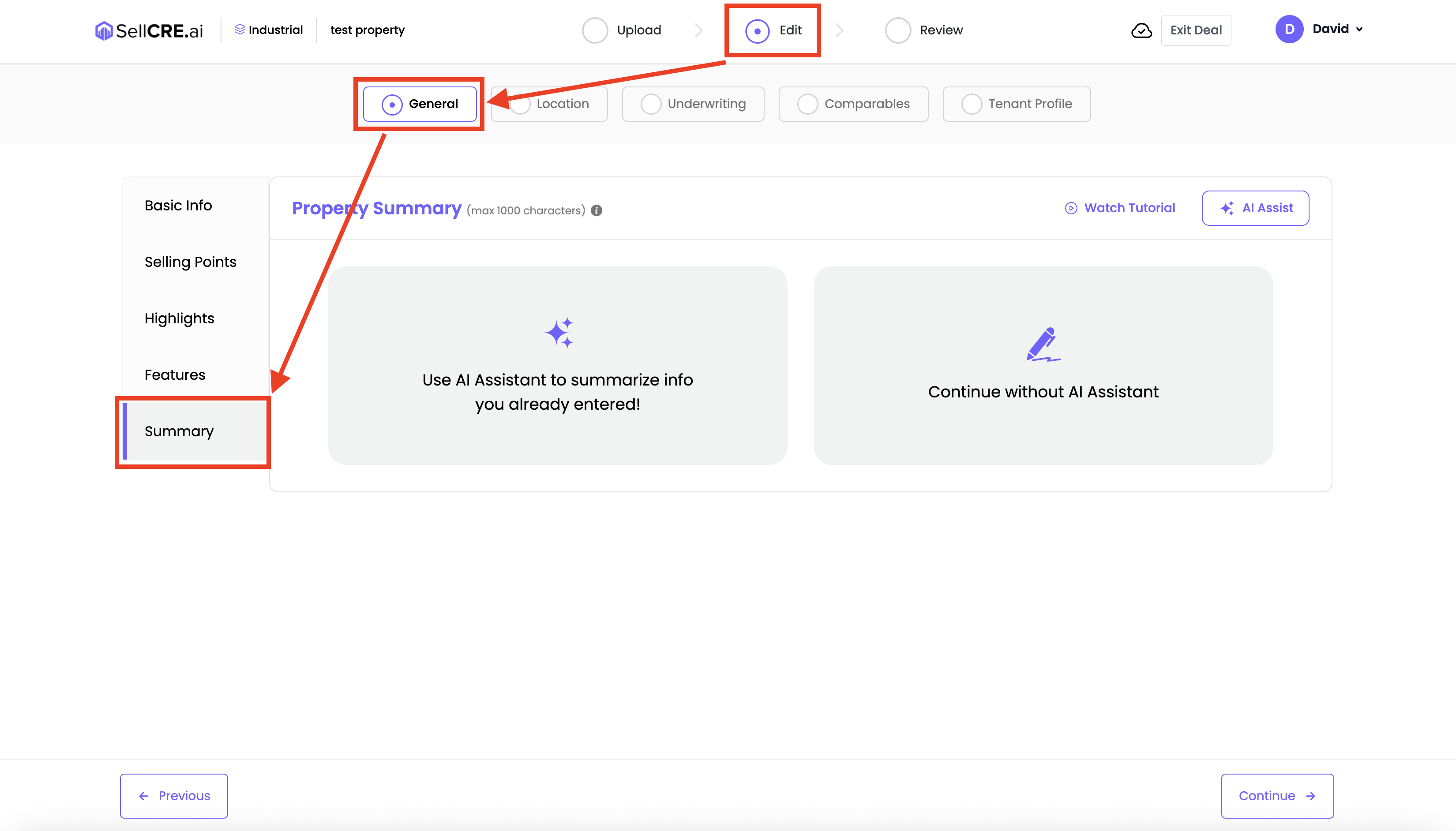
Choose how you'd like to write the summary:
Click “Manual” to write your own summary
Or click “AI Assist” to generate content automatically
If using AI Assist:
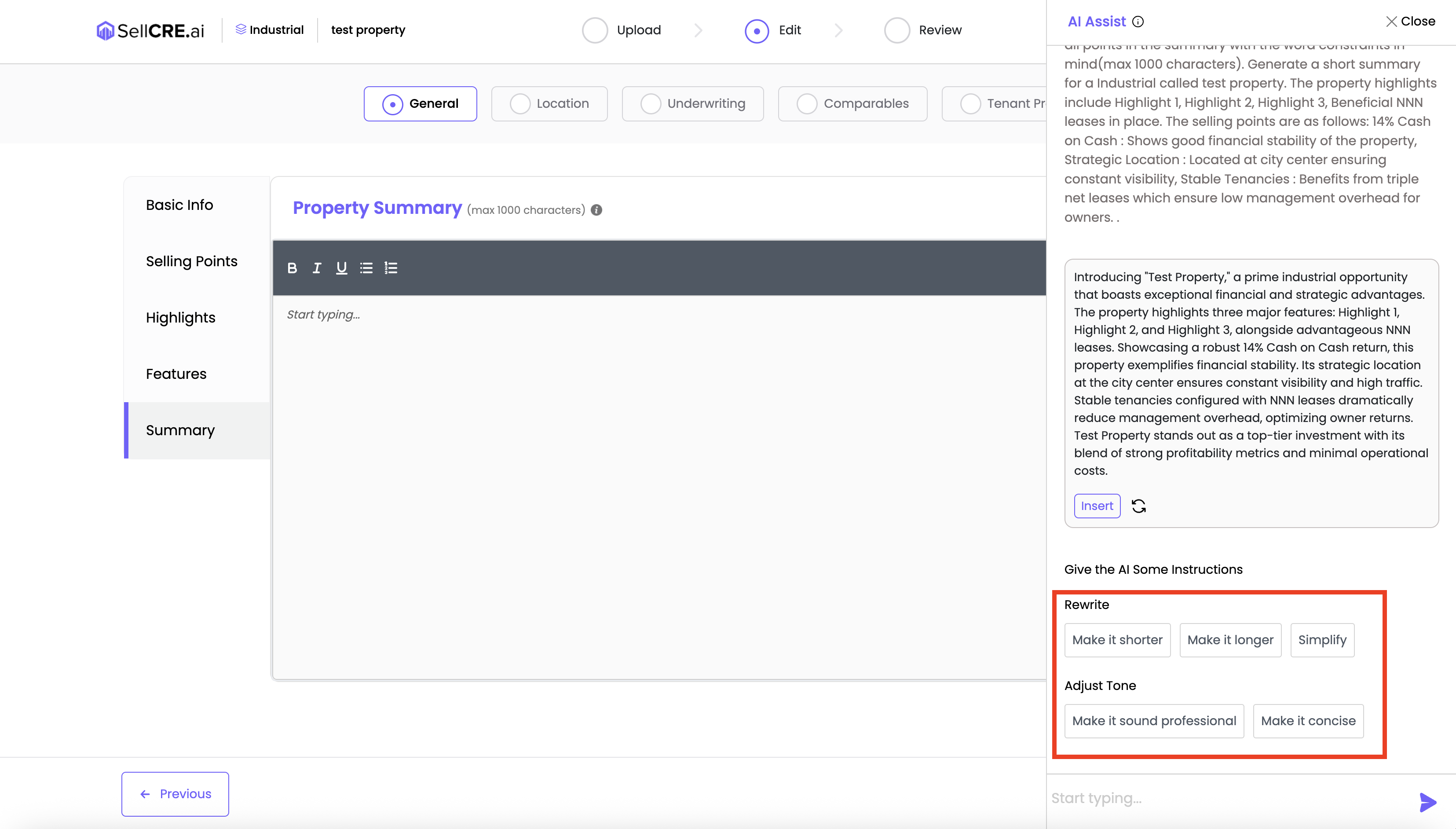
A sidebar will open with a pre-generated summary based on your property data
Use prompts like “Make it shorter,” “Simplify,” “Make it professional” to refine the output
Click “Insert” to apply the summary to your form
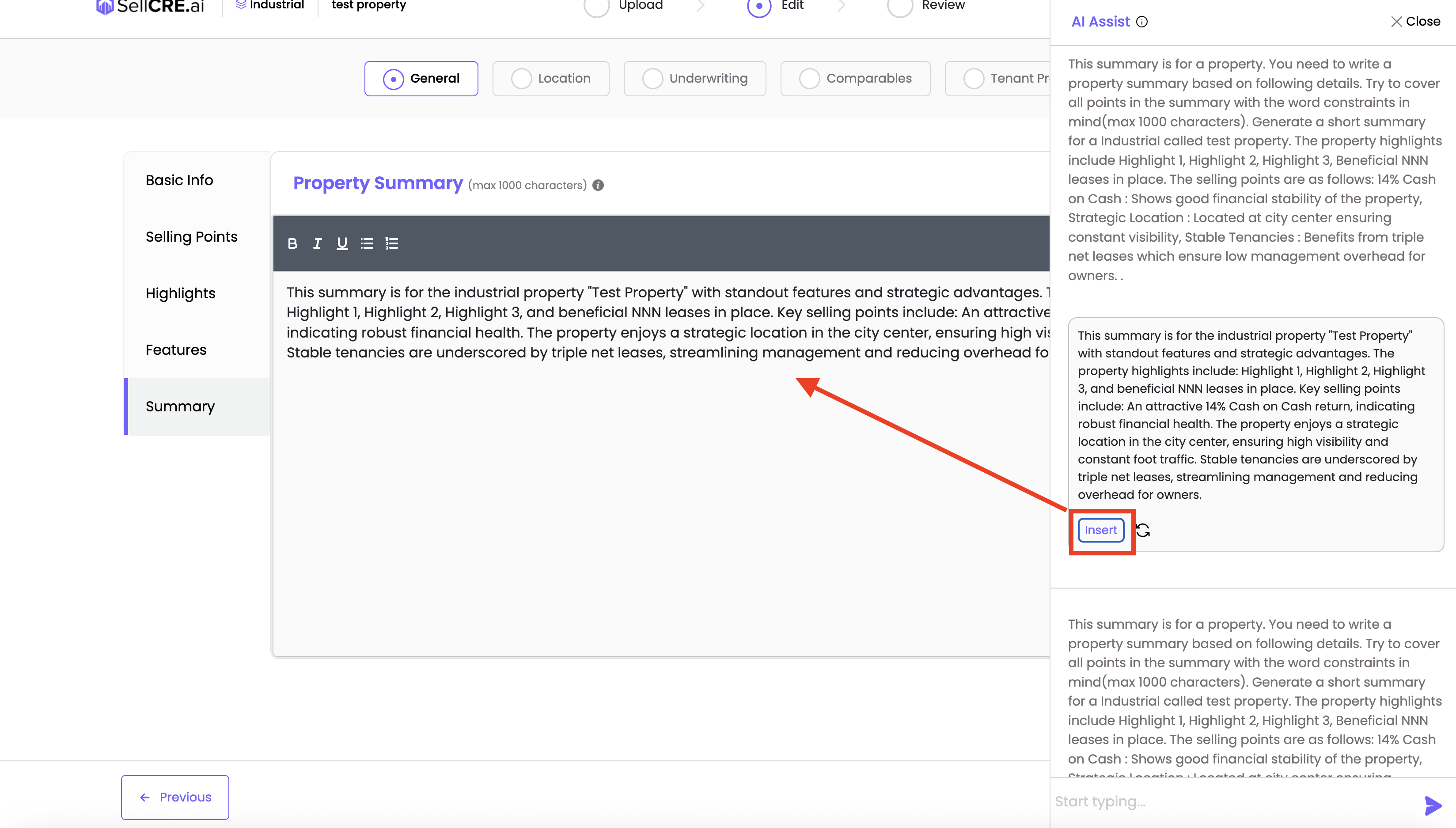
Edit or format the text as needed
✅ Your property summary appears in your Offering Memorandum and gives a quick overview of the asset — make it clear, concise, and compelling.
Was this article helpful?
That’s Great!
Thank you for your feedback
Sorry! We couldn't be helpful
Thank you for your feedback
Feedback sent
We appreciate your effort and will try to fix the article